White-Label Mobile Apps for Conventions: Why Your Event Needs Its Own App
Last updated: April 2026. This article is for informational purposes only. Statistics and third-party features referenced may have changed since publication. Terms apply.
When attendees search for your convention in the App Store, what do they find? If the answer is "nothing" or "a generic event app where our convention is buried alongside hundreds of others," you are leaving one of the most powerful branding and engagement tools on the table.
A white-label mobile app puts your convention's name, icon, and brand identity directly on every attendee's home screen. It is not a listing inside someone else's app. It is your app -- your logo on the App Store, your splash screen when it opens, your colors throughout every screen. And that distinction matters far more than most organizers realize.
What White-Labeling Actually Means
The term "white-label" comes from the practice of selling products without branding so the buyer can apply their own. In the context of mobile apps, white-labeling means you get a fully functional, professionally built application that carries your event's identity from top to bottom.
Here is what that looks like in practice:
- Your App Store listing. Attendees search "MegaCon 2026" and find an app with your name, your icon, your screenshots, and your description. Not "Eventbrite" with your event buried three taps deep. Not "Whova" with a tiny thumbnail of your logo.
- Your app icon on their phone. After installation, your branded icon sits on their home screen alongside Instagram, Messages, and their banking app. Every time they glance at their phone, they see your brand. That is marketing you cannot buy anywhere else.
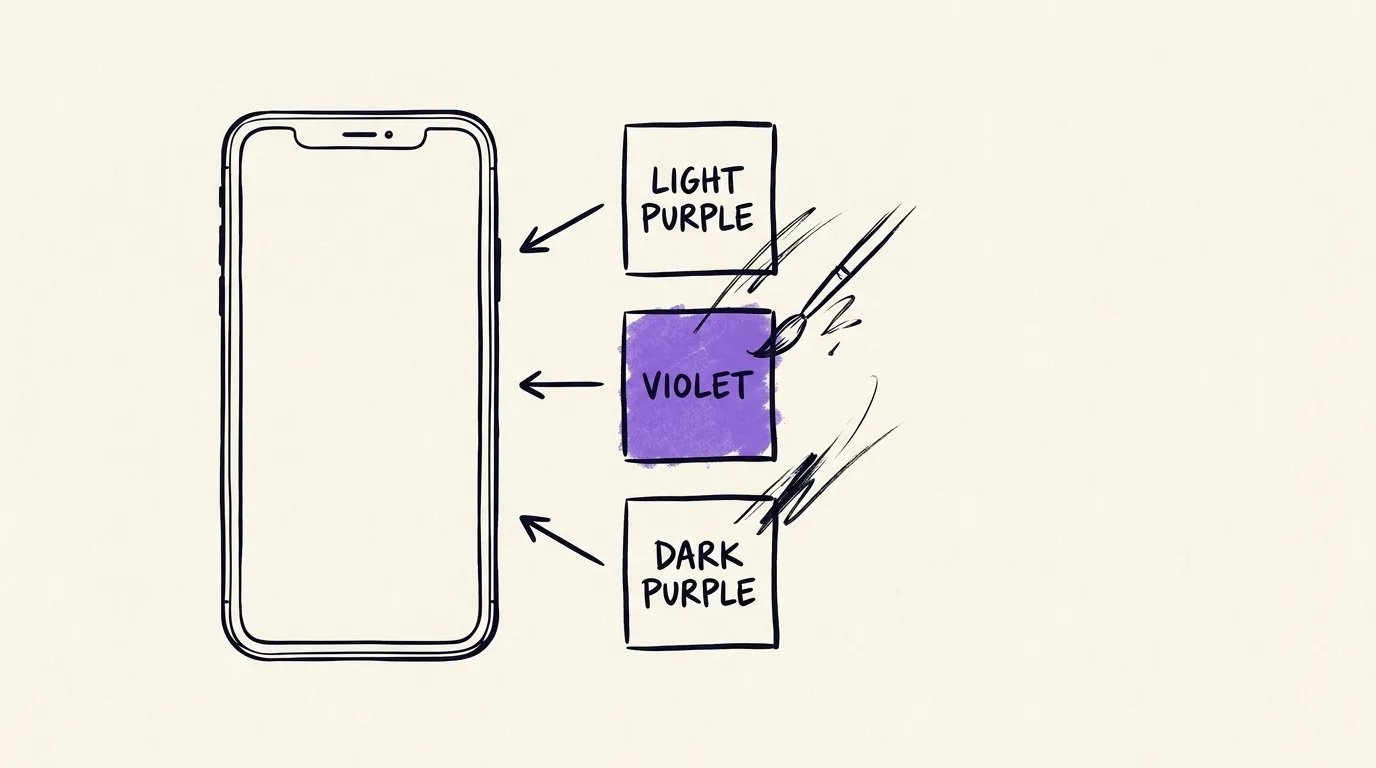
- Your colors, fonts, and imagery. The app's interface matches your event's visual identity. If your convention uses a dark theme with neon accents, the app reflects that. If your festival brand is warm earth tones, the app feels like an extension of the same design language.
- Your splash screen. When attendees open the app, they see your logo and branding -- not a third-party platform's logo with a "powered by" badge.
The underlying technology is built and maintained by Confanum, so you get the reliability and feature depth of a platform that has been refined across hundreds of events. But everything the attendee sees and touches carries your identity. It is the best of both worlds: professional software development without the six-figure custom app budget.
Why a Branded App Beats a Generic Listing Platform
Platforms like Eventbrite, Whova, and Guidebook serve a purpose -- but they are not built for conventions that want to own their attendee experience. Here is where the differences become stark.
Brand dilution vs. brand reinforcement
When attendees use Eventbrite's app to access your event, they are using Eventbrite's app. Your convention is one item in a list. The navigation, the colors, the layout -- all Eventbrite. Your brand is reduced to a logo thumbnail and a text description. Attendees associate the experience with Eventbrite, not with you.
A white-label app flips this entirely. Every interaction reinforces your brand. The app is your convention. When attendees rave about the great app experience to their friends, they are talking about your event, not a third-party platform.
Feature depth vs. lowest common denominator
Generic platforms build for the broadest possible audience. A yoga workshop, a corporate conference, and a 15,000-person comic convention all use the same feature set. That means you get features designed for the average event, not for conventions specifically.
A white-label app built for conventions includes features that generic platforms simply do not offer: interactive venue maps with vendor booth locations, guest and speaker profiles linked to schedule sessions, QR-based badge scanning, scavenger hunts, live polling, volunteer shift management, and multi-day schedule views with personal bookmarks. These are not nice-to-haves -- they are the features that make or break the attendee experience at a convention.
Data ownership
When your event lives inside a third-party app, that platform owns the relationship with your attendees. They control the push notification channel. They decide what data you can export. They can show ads for competing events in their app. With a white-label app, all attendee data flows directly to your admin dashboard. You own the engagement metrics, the push notification channel, and the relationship.
Year-round presence
Most generic event apps only activate around the event dates. Your listing disappears or becomes stale between events. A white-label app stays on attendees' phones year-round. You can push announcements about next year's dates, early-bird tickets, guest reveals, and other news. The app becomes a permanent channel to your audience -- not a disposable tool that gets deleted the Monday after the event.
Setting Up Your White-Label App with Confanum
Getting your branded app from concept to App Store does not require any technical knowledge on your part. Here is how the process works.
Branding and visual identity
You provide your brand assets: logo files, primary and secondary colors (hex codes), and any specific fonts you use. Confanum's team configures the app theme to match your event's visual identity. This includes the navigation bar color, button styles, background colors, text colors, and accent highlights throughout every screen.
App icon and splash screen
Your app icon is what attendees see in the App Store and on their home screen. It needs to be instantly recognizable at small sizes. If you have an existing icon, we use it. If not, our team can help design one based on your logo and brand guidelines. The splash screen -- the image displayed during app launch -- gets the same treatment, typically featuring your logo on a branded background.
App Store configuration
Every App Store listing needs a title, subtitle, description, keywords, screenshots, and a privacy policy URL. Confanum handles the technical submission process, but you control the messaging. We work with you to write a listing that makes attendees excited to download. Screenshots are generated from your actual app with your real content, so potential attendees see exactly what they are getting.
Content population
Before launch, you populate the app through the Confanum admin dashboard -- the same web-based tool you use for all event management. Add your schedule, upload guest profiles and photos, configure your venue maps, set up the vendor directory, and compose your welcome message. The app pulls all content from the dashboard in real time, so you can continue updating right up to (and through) the event.
Core App Features Every Convention Needs
A mobile app is only as valuable as the problems it solves. Here are the features that attendees at conventions consistently use the most and rate the highest.
Full event schedule with filtering and personal bookmarks
The schedule is the single most-used feature in any convention app. Attendees need to browse sessions by day, time, track, room, or category. They need to search by keyword to find specific topics. And they need to save sessions to a personal "my schedule" view that strips away everything they are not interested in.
Filtering matters more than most organizers appreciate. A convention with 200 sessions across four days is overwhelming without good filters. An attendee interested only in writing workshops should be able to tap one filter and see just those sessions, chronologically, across all days. Personal bookmarks take this further by letting them build a curated itinerary that they can review at a glance.
When the schedule changes -- and it always changes -- the app updates in real time. If a session moves from Room 3 to the Main Hall, every attendee who bookmarked that session gets notified and their personal schedule reflects the new location immediately.
Interactive venue maps with zoom and labeled points of interest
Convention centers are confusing. Even regular attendees get turned around in unfamiliar wings, temporary ballroom dividers, and vendor hall layouts that change every year. An interactive map in the app lets attendees pinch to zoom into the vendor hall floor plan, tap on a booth to see the vendor's name and details, switch between floors, and find amenities like restrooms, ATMs, and food courts.
Maps should be more than static images. Each point of interest is tappable and links to relevant content elsewhere in the app. Tap a panel room and see the current and upcoming sessions. Tap a vendor booth and jump to their directory listing with products and social links. This interconnection makes the map a navigation hub, not just a picture.
Guest and speaker profiles linked to their sessions
Attendees come to conventions because of the guests. Whether it is a celebrity appearance, an industry speaker, or a fan-favorite creator, the guest profile is often the first thing people look for in the app. Each profile should include a photo, bio, social media links, and -- critically -- a list of every session that guest is part of.
This linkage works both ways. From the schedule, attendees can tap a guest's name to see their full profile. From the guest profile, they can see and bookmark all of that guest's sessions. This cross-linking reduces the friction of planning and ensures attendees do not accidentally miss their favorite guest's panel because they did not know about it.
Vendor directory with booth locations
Vendors pay significant money for booth space, and their success depends on foot traffic. The vendor directory in the app gives every vendor a profile with their name, description, product categories, social media links, and -- most importantly -- their booth number linked to the venue map. Attendees browsing the directory can tap "Find on Map" and be taken directly to the vendor's location on the interactive floor plan.
For organizers, a well-built vendor directory is also a sales tool. When prospective vendors ask "How will attendees find my booth?", you can show them the app experience. It is a concrete, tangible benefit that justifies premium booth pricing.
Push notifications for schedule changes and announcements
Push notifications are the real-time communication lifeline of a convention. Without them, your only options for reaching attendees at scale are PA announcements, social media posts, and physical signage -- all of which are slow, limited in reach, or both.
With push notifications, you can instantly alert every attendee (or targeted segments) about schedule changes, surprise announcements, time-sensitive opportunities, operational updates, and safety information. The key is using them judiciously -- 3 to 5 per day for genuinely important updates. Overuse trains people to disable notifications, which eliminates the channel entirely.
QR code-based check-in and badge scanning
The check-in experience sets the tone for the entire event. A slow registration line with staff flipping through printed name lists tells attendees the event is disorganized. QR check-in transforms this into a 2-3 second scan per person: scan the QR code from the attendee's phone or confirmation email, confirm the ticket type, print the badge, done.
Beyond general admission check-in, QR scanning enables session-level attendance tracking. Staff or volunteers at panel room doors can scan badges to record exactly who attended which sessions. This data is gold for planning next year: which sessions were standing-room-only, which rooms were half-empty, which time slots have the highest demand. It also enables capacity management -- if a room is full, door staff know before letting more people in.
Advanced Engagement Features
The core features handle logistics. The advanced features are what turn a functional app into an engagement engine that keeps attendees active, connected, and excited throughout the event.
Live polling during sessions
Live polls transform passive panel audiences into active participants. A moderator can launch a poll from the admin dashboard, and every attendee in the session sees it appear on their phone. "Which sequel should we discuss first?" "What is the most underrated film of the decade?" Results update in real time on a display screen at the front of the room.
This is not just entertainment. Live polling increases perceived session quality because attendees feel like participants, not spectators. Panelists love it because it gives them instant audience feedback. And the aggregate data helps organizers understand what topics resonate most with their audience.
Q&A moderation
Open-mic Q&A sessions at conventions are unpredictable. Someone rambles for three minutes without asking a question. Someone asks something inappropriate. The loudest person in the room dominates. In-app Q&A moderation solves all of these problems.
Attendees submit questions through the app. Other attendees upvote the questions they want answered. A moderator reviews the queue, approves appropriate questions, and presents them to the panelists in order of popularity. The result is higher-quality questions, more equitable participation (introverts can submit questions just as easily as extroverts), and a safer environment for panelists who no longer have to handle awkward moments on the fly.
Scavenger hunts and gamification
Gamification gives attendees a reason to explore parts of the convention they might otherwise skip. A scavenger hunt with QR codes placed at vendor booths, sponsor displays, and hidden locations throughout the venue drives foot traffic to areas that need it and creates a sense of adventure that keeps people engaged between sessions.
Points can be awarded for checking in to sessions, visiting vendors, answering trivia questions, completing challenges, or finding hidden codes. A leaderboard in the app creates friendly competition. Prizes for top scorers -- exclusive merchandise, VIP upgrades, or meet-and-greet passes -- give attendees tangible motivation. Sponsors love gamification because it guarantees foot traffic to their activations.
Post-event surveys
The best time to capture attendee feedback is while the experience is still fresh. In-app surveys can be pushed immediately after the event ends (or even after individual sessions) with a targeted notification. Because the attendee is already in the app and the survey is just a few taps away, response rates are dramatically higher than post-event email surveys that arrive three days later.
Survey data completes the feedback loop. Combined with session attendance data from QR scanning, engagement metrics from the app itself, and poll results from live sessions, you have a comprehensive picture of what worked and what needs improvement -- all collected through the same platform.
App Content Management: When to Populate and How to Push Updates
A common mistake is treating the app as a one-time setup that you populate the week before the event and then forget about. The most successful convention apps are actively managed before, during, and after the event.
Before the event (4-6 weeks out)
Publish the app to the App Store as early as possible. Apple's review process typically takes 1-3 business days, but rejections and resubmissions can add a week or more. Having the app available 4-6 weeks before the event gives attendees time to download it and start exploring.
At this stage, populate the guest list, the preliminary schedule (even if it is subject to change), the venue maps, and the vendor directory. Attendees want to start planning early. A partially populated app is far better than no app at all. Mark preliminary items as "subject to change" and update them as details are finalized.
The week before
This is when the schedule should be finalized (or close to it). Double-check all room assignments, session times, and guest appearances. Upload any last-minute additions. Send a push notification to all users who have already downloaded the app: "The full schedule is live -- start building your personal itinerary!"
During the event
This is where real-time content management matters most. Assign a team member (or a volunteer) to monitor the app and push updates as things change. Session room swaps, cancellations, surprise additions, vendor hall hour changes -- all of these should be updated in the admin dashboard within minutes. The app reflects changes in real time via WebSocket synchronization, so attendees always see the current state.
Push notifications during the event should be reserved for high-impact announcements. Use in-app banners and feed updates for lower-priority information. The admin dashboard gives you granular control over which communication channel to use for each update.
After the event
Do not abandon the app the moment the event ends. Push the post-event survey within 24 hours. Share a thank-you message. Publish a recap or highlight reel. And over the following months, use the app as a channel for early announcements about next year's event: date reveals, first guest announcements, early-bird ticket sales. The app keeps your audience engaged between events, which is something no printed program or temporary website can do.
Analytics: Understanding How Attendees Use Your App
Every interaction inside the app generates data. Used thoughtfully, this data transforms how you plan and improve your event year over year.
Download and adoption metrics
Track how many attendees download the app, when they download it (relative to the event date), and how many are active on each day of the event. If downloads spike after a specific marketing email, you know which channel is most effective. If Day 2 shows a drop-off in active users, you might need stronger programming or better push notification strategy for mid-event days.
Session popularity
The number of bookmark saves for each session is a leading indicator of demand -- available weeks before the event. If a panel has 500 bookmarks and you assigned it a 200-seat room, you know to move it to a larger space before it becomes a problem. This predictive data is not available with printed programs or generic platforms that do not report at this level.
Engagement depth
Which features do attendees use most? How many minutes per day do they spend in the app? What percentage participate in polls and Q&A? How many complete scavenger hunt challenges? These metrics tell you which features are delivering value and which might need better promotion or rethinking.
Vendor and sponsor visibility
Track how many times each vendor profile was viewed and how many attendees used "Find on Map" to navigate to their booth. This data is enormously valuable for sponsor and vendor relationships. When you can show a sponsor that their booth profile was viewed 1,200 times and 340 attendees navigated to their location using the app, that justifies their sponsorship investment and makes renewal conversations much easier.
Cross-event comparison
For conventions that run annually, year-over-year analytics reveal trends. Is app adoption growing? Are attendees engaging with more sessions? Are vendor views increasing? Confanum's multi-year analytics dashboard lets you compare metrics across events in the same series, giving you a clear picture of whether your event is growing and where to focus improvements.
App Store Submission: Timeline and What to Expect
The App Store submission process is the one area where many organizers underestimate the time required. Here is a realistic timeline and what to prepare for.
8-10 weeks before the event: begin branding
Provide your brand assets (logo, colors, icon artwork) to Confanum. The team configures the app theme and generates the App Store assets (screenshots, icon in all required sizes). You review and approve the visual identity.
6-8 weeks before: App Store submission
Confanum submits the app to the Apple App Store and Google Play Store. Apple's review process is the bottleneck -- it typically takes 1-3 business days for the initial review. Google Play is usually faster, often approving within hours.
Possible rejection and resubmission
Apple occasionally rejects apps for metadata issues (screenshot formatting, description wording, privacy policy details) or minor technical reasons. Each rejection-and-fix cycle adds 2-4 days. This is normal and not a cause for alarm, but it is the reason for building buffer time into the schedule. Confanum handles the technical response to any rejection.
4-6 weeks before: app goes live
Once approved, the app is published and available for download. Begin promoting it in your marketing emails, social media posts, and on your website. Include the download links in confirmation emails sent to ticket purchasers. The earlier attendees download, the more time they have to explore and build anticipation.
Android considerations
Google Play Store approvals are faster and rejections are rarer, but Android has its own considerations. The app must be tested across a wider range of screen sizes and OS versions. Confanum handles this testing, but it is worth knowing that the Android version may be available a few days before or after the iOS version depending on review timing.
Updates during the event
Because the app pulls content from the Confanum backend in real time, you almost never need to push an app update through the stores during the event. Schedule changes, guest additions, map updates, and announcements all flow through the admin dashboard without requiring users to update the app. This is a critical architectural advantage -- you are not dependent on Apple's review process for time-sensitive changes.
The Competitive Advantage That Generic Platforms Cannot Match
Eventbrite is a ticketing platform. Whova is a networking tool. Guidebook is a digital program builder. None of them offer a white-label app that carries your brand in the App Store, on the attendee's home screen, and throughout every interaction.
This is not a minor distinction. When an attendee opens "MegaCon 2026" on their phone, they are in your world. Your brand surrounds them. Your content fills their screen. Your push notifications reach their pocket. There is no Eventbrite logo, no Whova branding, no "powered by" disclaimer diluting the experience.
For conventions competing for attendees, sponsors, and vendors, a branded mobile app signals professionalism and investment in the attendee experience. It tells sponsors that their visibility extends to a polished digital platform. It tells vendors that attendees can find their booths with a tap. It tells attendees that this convention takes their experience seriously enough to build something specifically for them.
And because the app stays on phones year-round, it becomes a permanent marketing channel -- not a disposable brochure that ends up in the recycling bin on Sunday night.
Ready to launch your own branded convention app?
Confanum's white-label mobile app puts your brand on every attendee's home screen -- with the full schedule, interactive maps, push notifications, live engagement features, and year-round presence that generic platforms cannot match.
Schedule a DemoHow a Mobile App Transforms Attendee Engagement at Events
A deep dive into push notifications, personal schedules, social features, and QR check-in -- the features that make a convention app indispensable.
The First-Time Convention Organizer's Complete Checklist
The comprehensive planning guide that covers mobile app setup alongside every other aspect of convention planning.
Reserved Seating for Events: A Complete Setup Guide
How QR codes and mobile check-in work together with reserved seating systems for a seamless attendee experience.